The Command Center for
Your AI Coworkers

AI agents that actually work on your computer, not just talk. They read your files, write your code, browse the web, and automate your grind. Cloud APIs or local models. Everything stays on your machine.

"You provide the intent (The Click). We provide the strike (The Claw)."

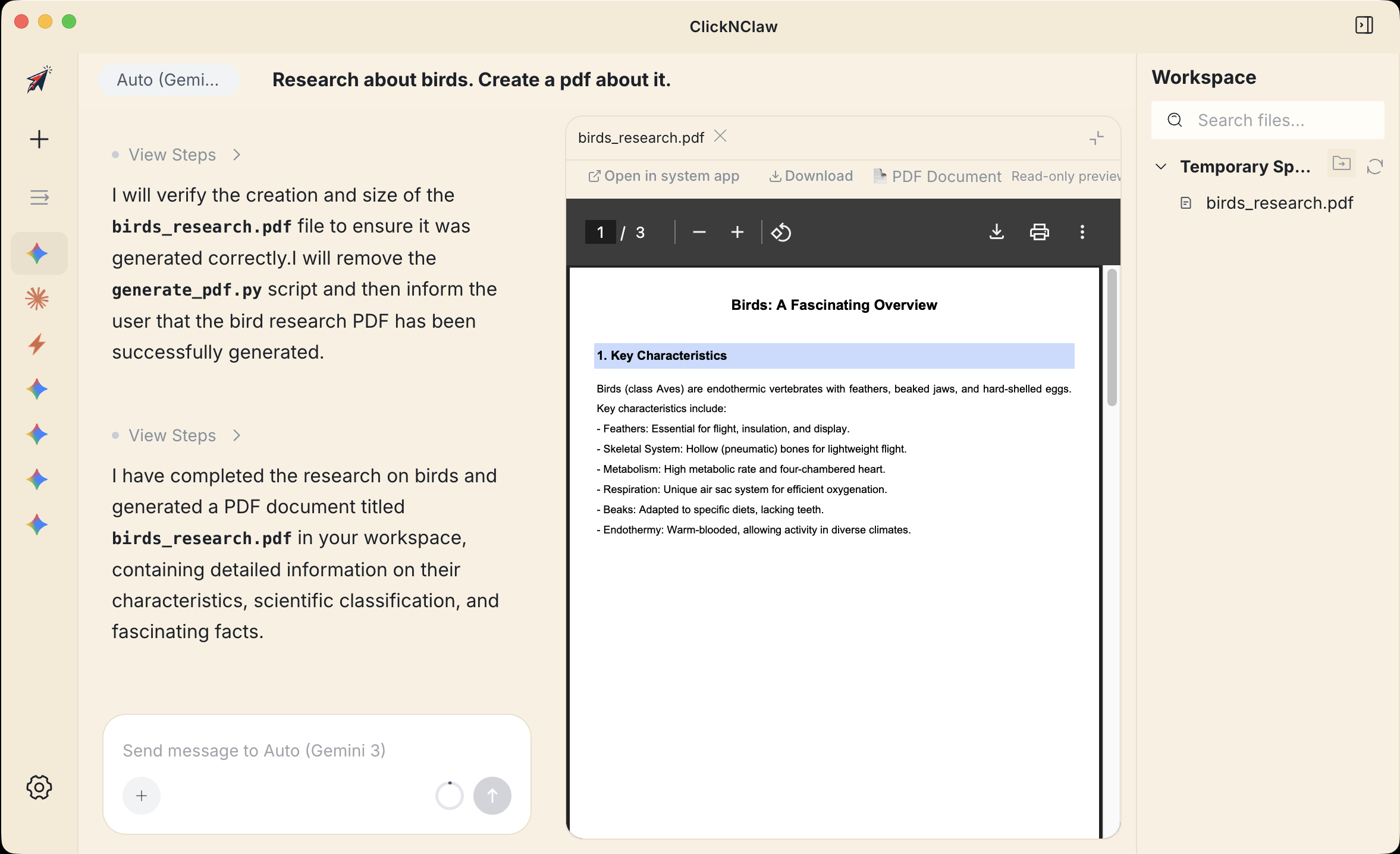
ClickNClaw in action
SCROLL

From Ghost to Claw

AI promised us intelligence. What it delivered? Ghosts in browser tabs. They can think, but they can't touch anything. ClickNClaw changes that.

AI Coworking
🤖

Work With AI, Not Just Chat

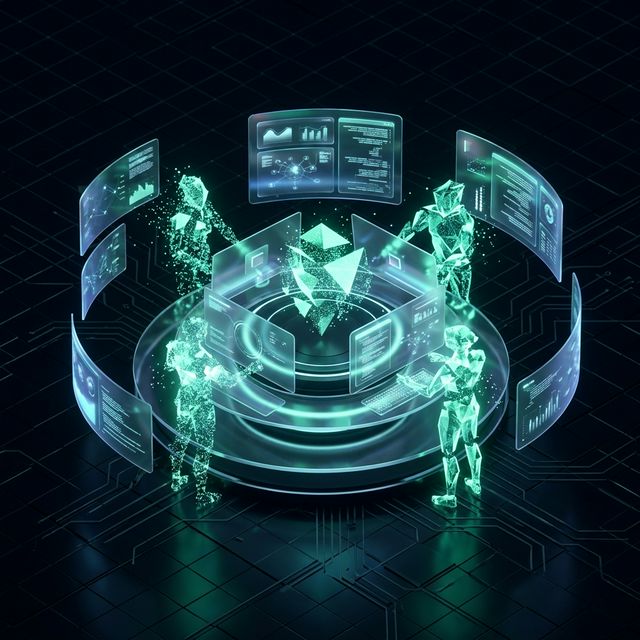
Forget asking questions into a void. ClickNClaw puts specialized AI agents right on your local machine, and they actually do the work. Files, code, research, automation. Done.

Local Sovereignty
🔒

Your Data Never Leaves

Not your local AI, not your data. History, keys, agents: everything lives in your local database. No cloud. No surveillance. No compromise.

The Alpha Hunt

The Alpha Hunt

Built for people who move fast in Web3. The Claw grabs opportunities before the crowd does, scanning chains, socials, and codebases around the clock.

What You Actually Get

This isn't a chatbot with a fancy UI. It's a full-blown agent platform that runs on your desktop.

🧠

Built-in Agent

No CLI tools, no terminal setup. Install the app, sign in with Google or drop in an API key, and you've got a working AI agent in seconds.

🔗

Multi-Agent Mode

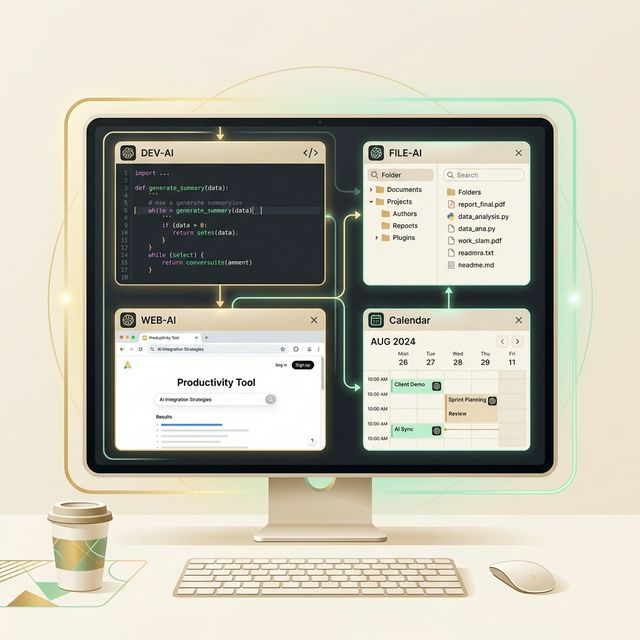
Already running Claude Code or Codex? ClickNClaw auto-detects them and brings everyone under one roof. 12+ agents, one interface, zero config.

🔑

Cloud or Local. You Pick.

Gemini, OpenAI, Anthropic, DeepSeek, or run local models through Ollama. 20+ platforms supported. Same agent power, your choice of brain.

Set It & Forget It

Tell the agent what to do in plain English, set a schedule, and walk away. Daily reports, weekly cleanups, monthly analyses. All on autopilot.

🌐

Work From Anywhere

Access from your phone via WebUI, or control through Telegram and Lark bots. Your AI keeps working even when you're not at your desk.

👁️

See Everything, Instantly

PDF, Word, Excel, code, images: the built-in preview panel shows you results the moment your agent creates them. No app-switching.

ClickNClaw platform overview

Everything in one app

📂 Read, write, and manage files on your machine
🌐 Browse the web and scrape data autonomously
📄 Generate PDFs, reports, and spreadsheets
Schedule tasks with cron and run them 24/7
🔑 Connect 20+ cloud APIs or local models via Ollama
Manage Solana wallets, DeFi, and alpha hunting
📱 Control remotely via WebUI, Telegram, or Lark
⚡ Web3 Edge

The Alpha Hunter

Most AI tools don't speak crypto. ClickNClaw does. Built-in Solana expertise that watches the market while you sleep.

Solana Alpha Expert: wallet management & DeFi strategies
MEV protection with Jito bundle endpoint
Encrypted vault with AES-256-GCM key storage
Jupiter & Helius API integration
Real-time portfolio analytics & PnL tracking
Explore the Hunt →
Alpha Hunt

Why ClickNClaw?

ChatGPT talks. Cursor and Claude Code write code. ClickNClaw does everything, on your machine, your way.

💬 AI Chatbots ChatGPT, Gemini, Claude
⌨️ AI Coding Tools Cursor, Claude Code, Copilot
ClickNClaw
Touches your files
Not at all
~ Code files only
All file types
Multi-step autonomy
Single turn
~ Code tasks only
Any task type
Multiple agents at once
One chat
Single agent
12+ agents, one UI
Works beyond code
~ Text only
Code focused
Files, web, reports, crypto
24/7 scheduling
Manual only
Manual only
Cron tasks, autopilot
Control from phone
~ Mobile app
Desktop only
WebUI + Telegram
Local AI models
Cloud locked
~ Limited support
Ollama + 20 platforms
Built-in file preview
Copy-paste
~ Code preview
PDF, Excel, images
Crypto & DeFi tools
None
None
Solana Alpha Expert
No terminal needed
Browser
IDE / CLI required
Full GUI app

We're Just Getting Started

ClickNClaw is built by a tight team that cares about shipping real tools, not landing pages with waitlists.

0
AI Platforms
0
Built-in Assistants
0
Platforms

Stop Chatting.
Start Executing.

Install

Download ClickNClaw for your operating system and run the installer.

Sign In

Use your Google account, paste an API key, or connect a local model through Ollama.

Execute

Your AI coworkers are ready. Assign tasks, set schedules, and let them handle the rest.